Videos from the YouTube or TikTok platforms work best with WordPress (the software this site is made with). When adding a YouTube or TikTok video to your post, remember to include a title (posts without titles cannot be viewed, commented on, or graded), and make sure the post begins with the video embedded at the top. To embed the video, first confirm that you are logged in to CUNY Academic Commons, then click the ➕ Add block, select Embed, paste the YouTube/TikTok link, and click Embed—do not paste the link as plain text. For longer videos, include a timecode (00:00) directing us to the relevant section. After the video, write one short paragraph explaining what the video shows and why it is sociologically important, and end with one critical sociological question to invite discussion. Before publishing, make sure you select the relevant section tags (Access, Cooking, etc.) and click Publish.
Author: Jacob Rosette
-
Tutorial Post 1: Youtube or TikTok
-
Tutorial Post 2: News, Articles, or Other Media Links

ICE Took Half Their Work Force. What Do They Do Now?
Journalism, essays, academic articles, and other web-based media (including videos from sites that don’t support embedding on WordPress like Facebook/Instagram) are also appropriate for posts. When using an article or media link, make sure your post includes a title (posts without titles cannot be viewed, commented on, or graded), and that the post begins with a visual—such as a featured image from the article, a relevant photo, or an embedded media element. To add a visual, click ➕ Add block and select Image, then upload an image or insert one using a URL.
Directly below the image, include a link to your source. Do not paste long URLs as plain text, as they can break the site layout, especially on mobile. Instead, write or paste the article title, highlight the text, and use the link icon in the editor (🔗) to create a clickable link. After the visual, write one short paragraph explaining what the article or media is about and why it matters sociologically, and end with one critical sociological question to invite discussion. Before publishing, select the relevant section tags and click Publish. -
Tutorial Post 3: Documentary Photos and Screenshots (What You See in the Streets or Online)
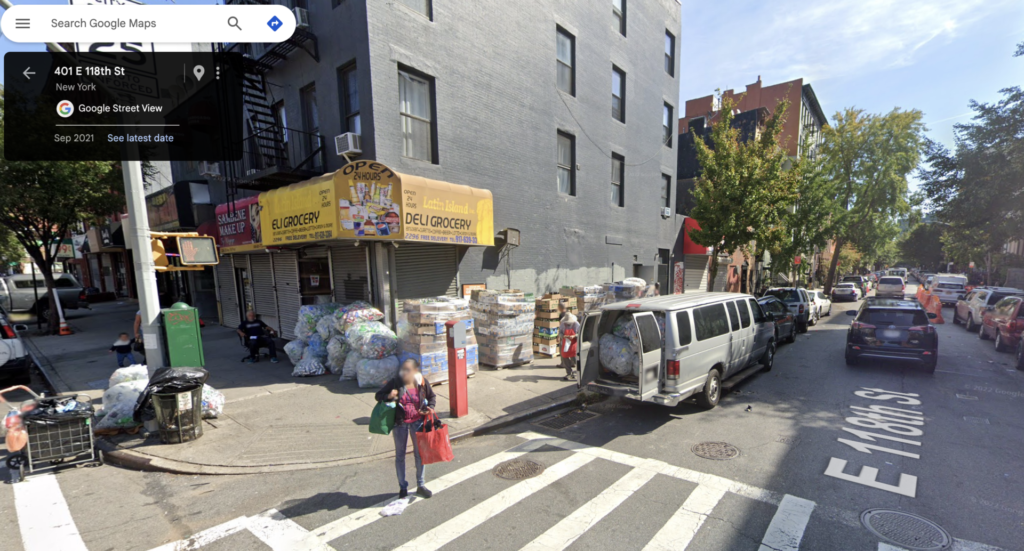
For your weekly posts, you may want to document parts of the food system you observe yourself—on the street, in stores, in restaurants, at markets, while moving through the city, or things you encounter online in everyday life (apps, ads, menus, delivery platforms, Google Street View imagery, social media interfaces, etc.). Your post must include a title (posts without titles cannot be viewed, commented on, or graded), and must begin with an image at the very top of the post. This image should be a photo you took yourself or a screenshot you captured. To add the image, click ➕ Add block, select Image, and upload the photo or insert it using a URL. If the image connects to an online source (for example, a website or platform), include a short clickable link below the image using linked text rather than pasting a long URL.
After the image, write one short paragraph describing what you observed and why it matters sociologically. Be sure to clearly communicate the context of the image—where it was taken, what is happening, and what drew your attention to it. When documenting people or workplaces, follow basic privacy and ethical best practices: avoid identifying individuals by name, faces, do not photograph people in vulnerable situations, and focus on spaces, practices, signs, interfaces, or patterns rather than individuals whenever possible.
End with one critical sociological question that invites discussion. Before publishing, select the relevant section tags and click Publish.

